

To create a Quora Space, you need a Quora account, then click the + Create Space button in the top left corner of your home page and set up the Space name, description, and settings. A Space is a place to build a dedicated community around one idea, business, or topic, with complete editorial control over what gets published. Below is the full setup, followed by how to run it once it is live.
What is a Quora Space?
A Quora Space is a place where you build a dedicated community around one idea, business, or topic, with complete editorial control. Spaces let people collaboratively create and curate content around shared interests. You own the editorial direction, and you can invite contributors or other admins to help you run it and collaborate on content, as well as share external content, videos, or answers from other writers.
That control is the reason Spaces matter for brands. Instead of scattering answers across unrelated questions, you gather them under one destination you shape and moderate.
How to create a Quora Space step by step
Creating a Space takes three moves: get an account, click Create Space, then configure the settings. Here is the sequence Quora lays out.
- Create a Quora account if you do not already have one.
- On the home page, click + Create Space at the top left corner of your screen.
- Set up your Space by naming it, writing a description, and adjusting the admin settings.
Those three steps are all it takes to start a Quora Space. The details you fill in during step three are what separate a Space people find from one that sits empty, so it is worth slowing down there.
Naming your Space and setting the URL
Your Space name is capped at 50 characters and should be a short, accurate title for the content inside. By default, the name automatically becomes the Space's URL. A Space called "Book Club," for example, owns the URL bookclub.quora.com.
Finalize the name early. Quora only allows a Space name change once every three months, so a rushed or off-brand name is something you live with for a while. The URL itself is more flexible: owners and admins can change the Space URL at any time from the Space's settings page.
Writing the description
The Space description is limited to 80 characters. It appears under your Space's name on its landing page and in Discover feeds, introducing visitors to the content and purpose of the Space. Treat those 80 characters as your pitch to someone deciding whether to follow, and say plainly what the Space covers.
How to set up a Quora Space team with roles
Every Space starts with an owner, and the owner invites others into defined roles from the People tab. This is how you set up a Quora Space that more than one person can maintain.
The role that does most of the day-to-day work is the contributor. A contributor can post content directly to the Space. Owners and admins carry broader control, including the ability to change the URL and manage settings. If you are running a Space for a business, mapping out who holds which role before you invite anyone keeps the editorial control that makes Spaces useful from getting diluted.
Complete editorial control is the point of a Space. Decide who can publish directly and who submits for review before you send a single invite.
How to run a Quora Space after launch
To run a Quora Space well, post consistently, include images, and use scheduling tools so publishing does not depend on you being online. Setup is a one-time task; the results come from what you do afterward.
Post consistently
Quora recommends posting at least once per day to keep your followers engaged. That can take the form of answers, posts, or shared content, so you are not obligated to write something original every single day. Curating a strong answer from another writer counts toward keeping the Space active.
Use the Queue to schedule ahead
You do not have to publish in real time to hit a daily cadence. Activate the Queue feature in your admin settings to front-load content for distribution without publishing manually at a set frequency. Batch a week of posts in one sitting, load them into the Queue, and let the Space keep a steady rhythm while you work on other things.
Include at least one image
Add an image whenever it fits the post. Users tend to engage more with content that includes images, and that engagement helps Quora's algorithms understand your audience and target similar users who enjoy similar content. Including at least one image is a good practice when it is appropriate to the content.
Can you earn money from a Quora Space?
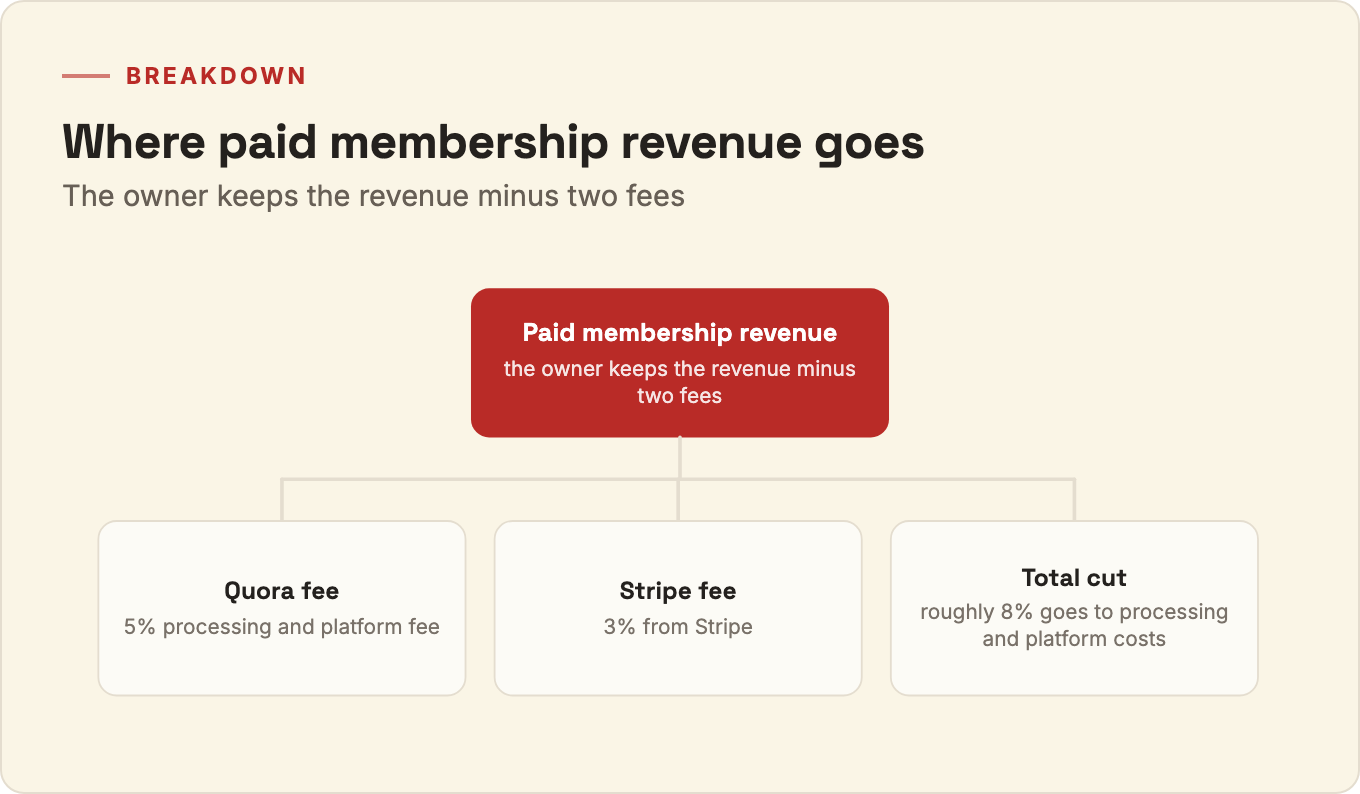
Yes, Spaces can charge for paid memberships, and the owner keeps the revenue minus two fees. As the Space owner, you receive the membership fee revenue less a 5% processing and platform fee from Quora and 3% from Stripe, Quora's third-party payment processor. So on a paid membership, roughly 8% goes to processing and platform costs before the rest reaches you. Paid memberships work best once the free Space already has a following that values the content enough to pay for more of it.
Running a Space is ongoing work
Creating a Quora Space is quick. Running one that grows is a daily commitment: consistent posting, images, role management, and a Queue kept full. If your team does not have the bandwidth to maintain that cadence, our Quora profile management service handles the posting, curation, and moderation so your Space stays active without pulling your team off other work.
Whether you run it yourself or hand it off, the fundamentals stay the same: a tight name and description, the right roles, daily content, and images that earn engagement. Get those in place and the Space does its job as a community hub for your topic. If you would rather have it managed end to end, see how our Quora profile management works.